3.2. Obtaining an explanation
In this notebook we will show how to obtain an explanation for a given model and data image. We will use CIFAR10 as the dataset and an Efficientnet-B2 model as the classifier.
[1]:
import torch
from torch.utils.data.dataloader import DataLoader
from efficientnet_pytorch import EfficientNet
from ReVel.perturbations import get_perturbation
from ReVel.LLEs import get_xai_model
from ReVel.revel.revel import ReVel
from ReVel.load_data import load_data
import numpy as np
import plotly.express as px
import plotly.graph_objects as go
from plotly.subplots import make_subplots
from IPython.display import display
import pandas as pd
import json
#import imports
device = "cuda" if torch.cuda.is_available() else "cpu"
n_classes = {'CIFAR10':10,   'CIFAR100':100, 'EMNIST':47,'FashionMNIST':10}

# Cargar la configuración del experimento
with open('config.json', 'r') as f:
    config = json.load(f)
[2]:
num_classes = n_classes[config["dataset_W"]]
perturbation = get_perturbation(name=config["perturbation_W"],
                                 dim=config["features_W"],
                                 num_classes=n_classes[config["dataset_W"]],
                                 final_size=(224,224),
                                 kernel=config["kernel_W"],
                                 max_dist= config["maxDist_W"],
                                 ratio=config["ratio_W"],)
Test = load_data(config["dataset_W"],perturbation = perturbation,train=False,dir="./data")
TestLoader = iter(DataLoader(Test, batch_size=1, shuffle=False))
classifier = EfficientNet.from_name("efficientnet-b2",num_classes=len(Test.classes))
state_dict = torch.load(f"../../../models/classifier_{config['dataset_W']}.pt",map_location=device)
classifier.load_state_dict(state_dict)
classifier.to(device)
classifier.eval()
print("Loaded the pretrained model.")
Downloading https://www.cs.toronto.edu/~kriz/cifar-10-python.tar.gz to ./data/CIFAR10/test/cifar-10-python.tar.gz
100%|██████████| 170498071/170498071 [00:09<00:00, 17383534.76it/s]
Extracting ./data/CIFAR10/test/cifar-10-python.tar.gz to ./data/CIFAR10/test
Loaded the pretrained model.
/tmp/ipykernel_96406/798391298.py:12: FutureWarning: You are using `torch.load` with `weights_only=False` (the current default value), which uses the default pickle module implicitly. It is possible to construct malicious pickle data which will execute arbitrary code during unpickling (See https://github.com/pytorch/pytorch/blob/main/SECURITY.md#untrusted-models for more details). In a future release, the default value for `weights_only` will be flipped to `True`. This limits the functions that could be executed during unpickling. Arbitrary objects will no longer be allowed to be loaded via this mode unless they are explicitly allowlisted by the user via `torch.serialization.add_safe_globals`. We recommend you start setting `weights_only=True` for any use case where you don't have full control of the loaded file. Please open an issue on GitHub for any issues related to this experimental feature.
  state_dict = torch.load(f"../../../models/classifier_{config['dataset_W']}.pt",map_location=device)
3.2.1. Explanation methods
To obtain an explanation we need to choose an explanation method. The explanation methods are choosed from LIME[Ribeiro et al., 2016] and SHAP[Lundberg and Lee, 2017] with different configurations.
[6]:
# Load Explainer

explainer = get_xai_model(name=config["xai_model_W"],
                          perturbation=perturbation,
                          max_examples=config["evaluations_W"],
                          dim=config["features_W"],
                          sigma = config["sigma_W"])
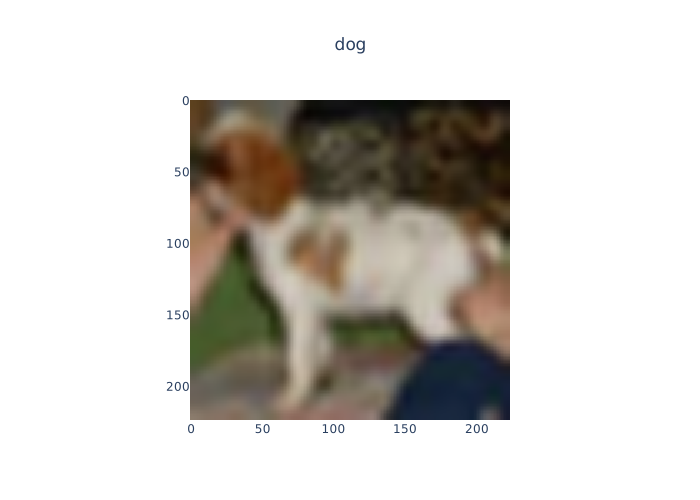
We also choose the following image to explain:
[19]:
# Select the input to be explained.
# It must be the first iteration of the TestLoader
inp, target = next(TestLoader)
clase = Test.classes[torch.argmax(target,dim=1)[0]]

figure = go.Figure()
figure.add_trace(go.Image(z=inp[0].permute(1,2,0)))
# Aniade clase como titulo
figure.update_layout(title_text=f"{clase}",title_x=0.5)

figure.show(renderer="svg")
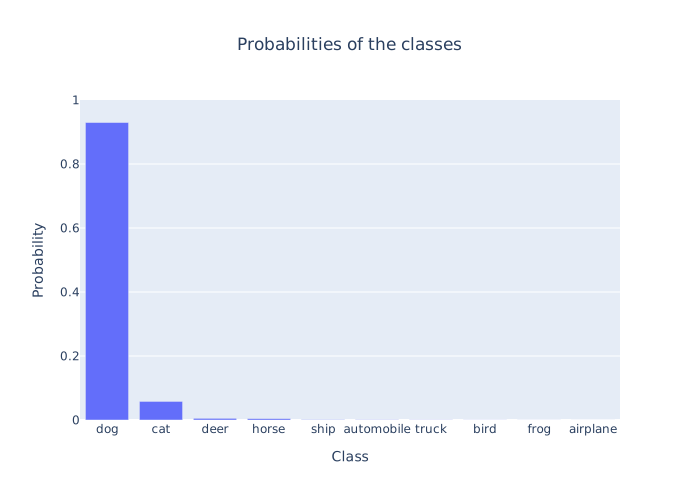
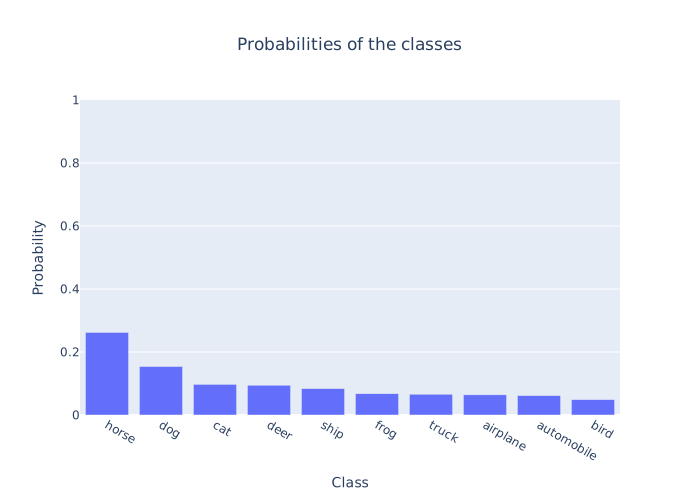
With the following code, we can visualize the probabilities generated by our model for the image:
[23]:
# Pasar inp a float
inp = inp.float()
probabilities = torch.softmax(classifier(inp.to(device)),dim=1)[0]
clas = torch.argmax(probabilities)
args = torch.argsort(probabilities,descending=True)
prob_classes = [(Test.classes[arg],float(probabilities[arg]) ) for arg in args[:10]]
fig = px.bar(prob_classes,x=0,y=1,title="Probabilities of the classes")
fig.update_layout(title_x=0.5)
fig.update_xaxes(title="Class")
fig.update_yaxes(range=[0,1],title="Probability")
fig.show(renderer="svg")
#plt.bar(range(len(prob_classes)),[prob_class[1] for prob_class in prob_classes])
[24]:
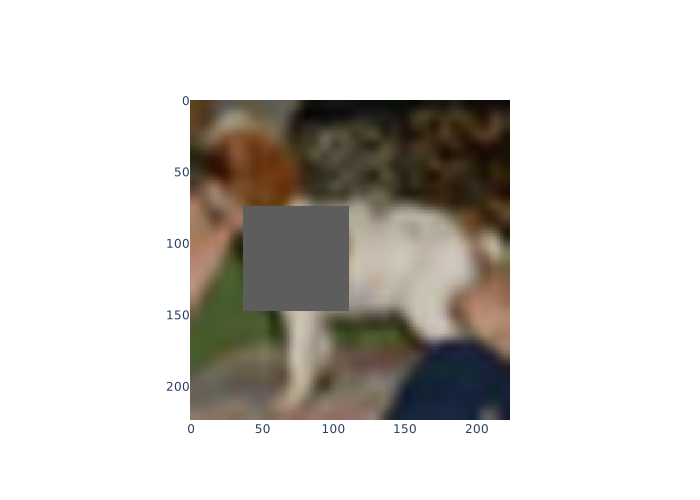
# Genera una perturbacion de inp
var1 = inp.numpy()[0]
var1 = var1.swapaxes(0,1).swapaxes(1,2)
neutralImage = explainer.perturbation.fn_neutral_image(var1)
var = inp.numpy()
var = var[0].transpose(1,2,0)

segments = explainer.perturbation.segmentation_fn(var)


perturbation = explainer.perturbation.perturbation(img=var1,neutral=neutralImage,segments=segments,indexes=[8,9,14,15])

# mostrar la imagen perturbada con plotly go. La imagen
# perturbada tiene dimensiones (1,3,224,224)
figure = go.Figure()
figure.add_trace(go.Image(z=perturbation))
figure.show(renderer="svg")
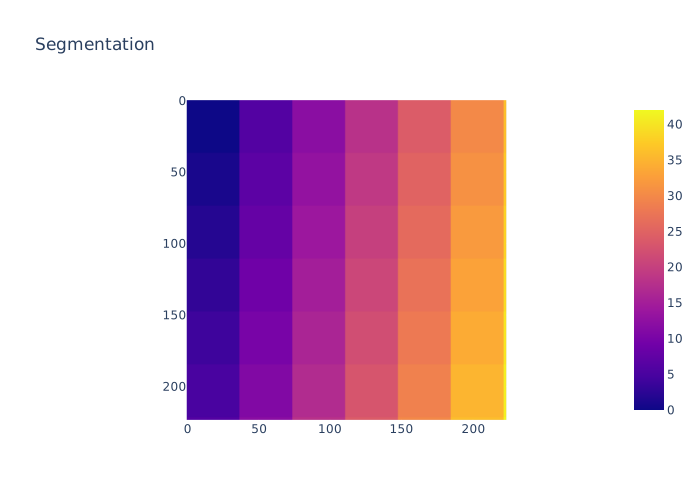
# Mostrar los segmentos con plotly go. segments tiene
# dimensiones (224,224)
segs_fig = px.imshow(segments,title="Segmentation")
segs_fig.show(renderer="svg")
[25]:
img_perturbated = torch.tensor(perturbation).float()
img_perturbated = img_perturbated.permute(2,0,1)
img_perturbated = img_perturbated.unsqueeze_(0)
probabilities = torch.softmax(classifier(img_perturbated.to(device)),dim=1)[0]
clas = torch.argmax(probabilities)
args = torch.argsort(probabilities,descending=True)

prob_classes = [(Test.classes[arg],float(probabilities[arg]) ) for arg in args[:10]]
fig = px.bar(prob_classes,x=0,y=1,title="Probabilities of the classes")
fig.update_layout(title_x=0.5)
fig.update_xaxes(title="Class")
fig.update_yaxes(range=[0,1],title="Probability")
fig.show(renderer="svg")
3.2.2. Obtaining explanation
Define the pipeline fot the image forward and for the feature-space forward
[26]:
def classify(image,model=classifier):
    '''
    This function takes an image and returns the predicted probabilities.
    :param image: A tensor of shape HxWxC
    :return: A tensor of shape Cx1
    '''
    if isinstance(image, np.ndarray):

        image = np.expand_dims(image,0)

        image = torch.Tensor(image).to(device)

    else:
        image = torch.unsqueeze(image,0)

    # image dims: (N,H,W,C) -> (N,C,H,W)

    image = torch.transpose(image,3,2).transpose(2,1)

    result = model(image)
    return result

def model_fordward(X:np.array,explainator=explainer,model=classify,img=inp):
    '''
    This function takes a feature vector and returns the predicted probabilities of the original img.
    :param X: A tensor of shape F.
    :param explainator: An explainator object.
    :param model: A function that takes an image and returns the predicted probabilities.
        This function accept an image of shape HxWxC and returns a tensor of shape Cx1.
    :param img: The original image.
    :return: A tensor of shape Cx1
    '''
    img = img[0].permute(1,2,0)

    neutral = explainator.perturbation.fn_neutral_image(img)

    avoid = [i for i in range(len(X)) if X[i] == 0]

    segments = explainator.perturbation.segmentation_fn(img.numpy())


    perturbation = explainator.perturbation.perturbation(img,neutral,segments=segments,indexes=avoid)
    return model(perturbation)
[27]:
image = inp.numpy()[0]
image = image.swapaxes(0,1).swapaxes(1,2)
explaination = explainer.explain_instance(image,classify,segments)
explaination2 = explainer.explain_instance(image,classify,segments)
100%|██████████| 50/50 [00:02<00:00, 17.86it/s]
100%|██████████| 50/50 [00:03<00:00, 16.07it/s]
[28]:
image = inp[0].permute(1,2,0).numpy()

revel = ReVel(model_f=classify,
            model_g=model_fordward,
            instance=image,
            lle=explainer,
            n_classes=num_classes,
            segments=segments,)
figures = []
figures2 = []

probabilities = torch.softmax(classifier(inp.to(device)),dim=1)[0]
clas = torch.argmax(probabilities)
args = torch.argsort(probabilities,descending=True)
ids = [clas for clas in args[:10]]
for i in args[:10]:
    image_final = revel.coloured_importance_mask(explaination,segments,i)
    figure = go.Image(z=image_final*256)
    figures.append(figure)

    image_final = revel.coloured_importance_mask(explaination2,segments,i)
    figure2 = go.Image(z=image_final*256)
    figures2.append(figure2)
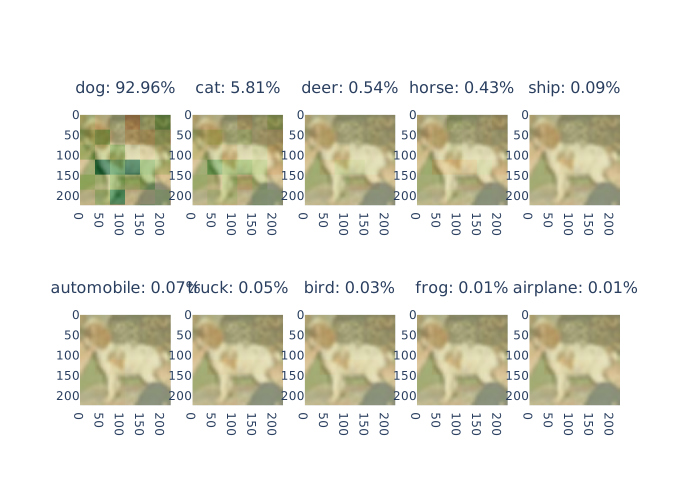
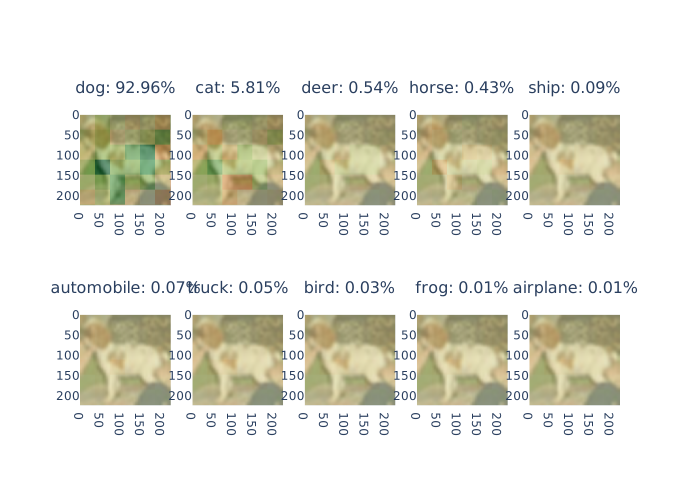
clases = [f"{Test.classes[clas]}: {100*probabilities[clas]:.2f}%" for clas in ids]
fig = make_subplots(rows=2, cols=5, subplot_titles=clases)
fig2 = make_subplots(rows=2, cols=5, subplot_titles=clases)
for i in range(2):
    for j in range(5):
        fig.add_trace(figures[i*5+j],row=i+1,col=j+1)
        fig2.add_trace(figures2[i*5+j],row=i+1,col=j+1)
[29]:
fig.show(renderer="svg")
fig2.show(renderer="svg")
[30]:
df = revel.evaluate(3)
100%|██████████| 50/50 [00:03<00:00, 15.01it/s]
100%|██████████| 50/50 [00:02<00:00, 19.54it/s]
100%|██████████| 50/50 [00:02<00:00, 20.16it/s]
[32]:
# Media por columna del df
display(df)
df.mean(axis=0)
| conciseness | local_fidelity | local_concordance | prescriptivity | robustness | |
|---|---|---|---|---|---|
| 0 | 0.740329 | 0.919741 | 0.883064 | 0.888679 | 0.831222 |
| 1 | 0.720869 | 0.934867 | 0.930382 | 0.897691 | 0.831222 |
| 2 | 0.689639 | 0.930308 | 0.897731 | 0.918164 | 0.831222 |
[32]:
conciseness          0.716946
local_fidelity       0.928305
local_concordance    0.903726
prescriptivity       0.901511
robustness           0.831222
dtype: float64
[33]:
TestLoader = iter(DataLoader(Test, batch_size=1, shuffle=True))
df = pd.DataFrame(columns=["id","conciseness",'local_fidelity','local_concordance','prescriptivity','robustness'])

for i in range(2):
    image, label = next(TestLoader)
    image = inp[0].permute(1,2,0).float()
    segments = explainer.perturbation.segmentation_fn(image.numpy())
    model_f = lambda x: classify(x,model=classifier)
    model_g = lambda x: model_fordward(x,explainator=explainer,model=classify,img=image)
    revel = ReVel(model_f=model_f,
                  model_g=model_fordward,
                  instance=image,
                  lle=explainer,
                  n_classes=num_classes,
                  segments=segments)
    df_local = revel.evaluate(2)
    df_local["id"] = i+1
    # aniade el df_local al df
    df = pd.concat([df,df_local],axis=0)
display(df)
  0%|          | 0/50 [00:00<?, ?it/s]100%|██████████| 50/50 [00:02<00:00, 18.82it/s]
100%|██████████| 50/50 [00:02<00:00, 18.63it/s]
100%|██████████| 50/50 [00:02<00:00, 17.04it/s]
100%|██████████| 50/50 [00:02<00:00, 19.24it/s]
| id | conciseness | local_fidelity | local_concordance | prescriptivity | robustness | |
|---|---|---|---|---|---|---|
| 0 | 1 | 0.732805 | 0.930852 | 0.899099 | 0.585245 | 0.900865 |
| 1 | 1 | 0.733857 | 0.918754 | 0.863023 | 0.824418 | 0.900865 |
| 0 | 2 | 0.662039 | 0.923757 | 0.916792 | 0.823079 | 0.879404 |
| 1 | 2 | 0.724136 | 0.923744 | 0.885252 | 0.818978 | 0.879404 |
[34]:
df_example = df.groupby("id").mean()
display(df_example)
display(df_example.mean(axis=0))
| conciseness | local_fidelity | local_concordance | prescriptivity | robustness | |
|---|---|---|---|---|---|
| id | |||||
| 1 | 0.733331 | 0.924803 | 0.881061 | 0.704831 | 0.900865 |
| 2 | 0.693088 | 0.923750 | 0.901022 | 0.821029 | 0.879404 |
conciseness          0.713210
local_fidelity       0.924277
local_concordance    0.891042
prescriptivity       0.762930
robustness           0.890135
dtype: float64